Google Sheets trading journal
A free trading journal built to run in Google Sheets — log your trades from any device, and see your stats update live in the cloud.
Free download · Updated October 2026
See what's inside
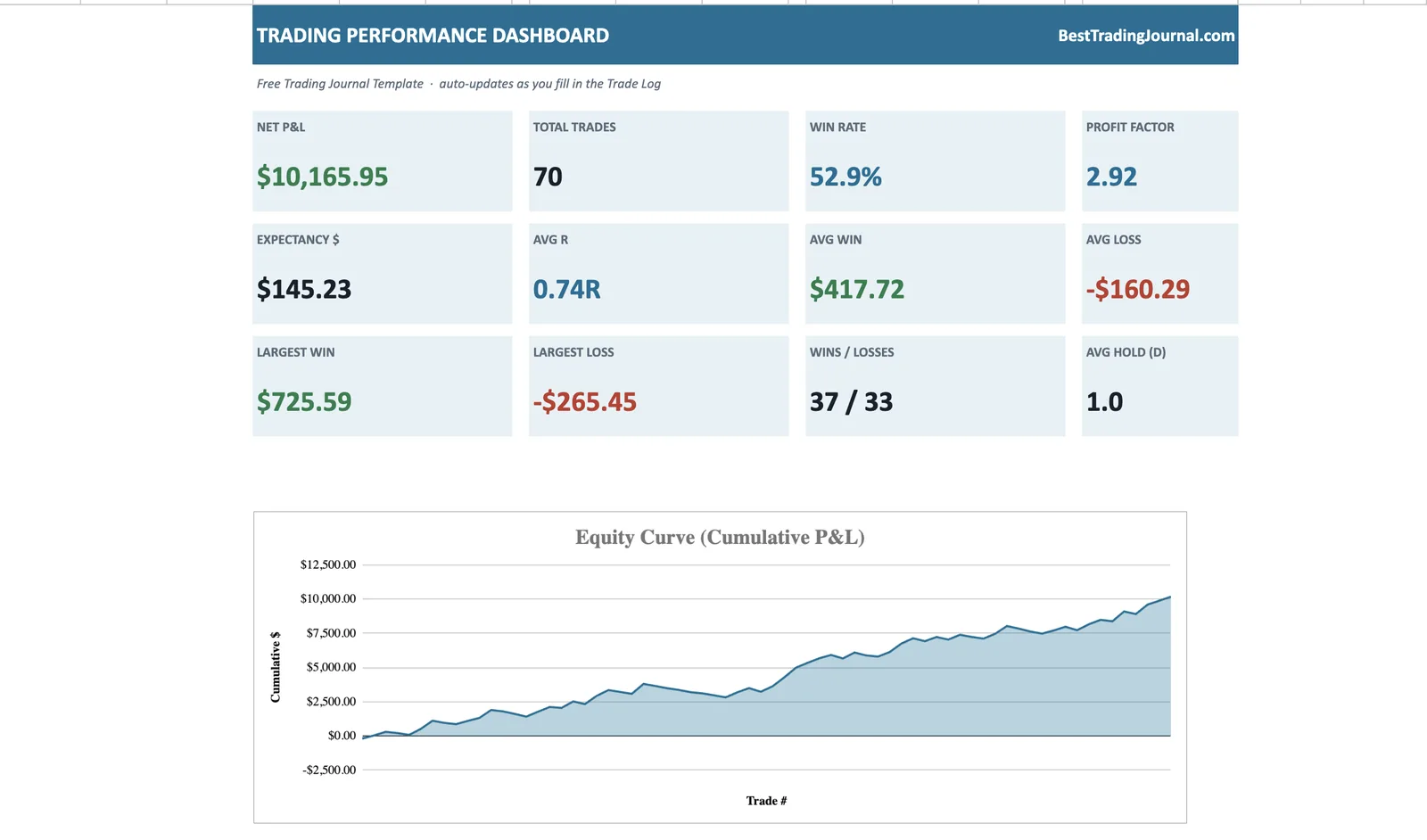
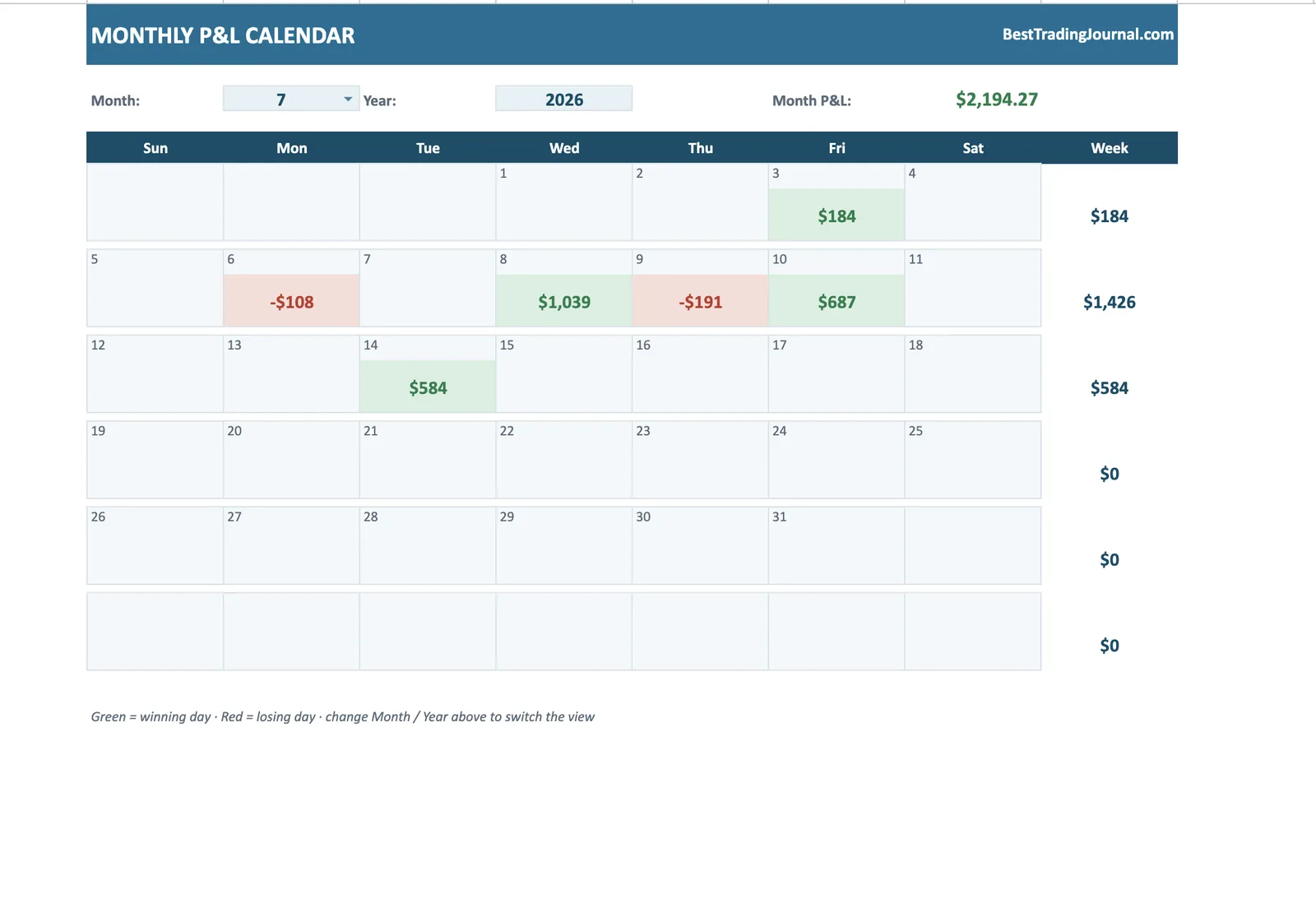
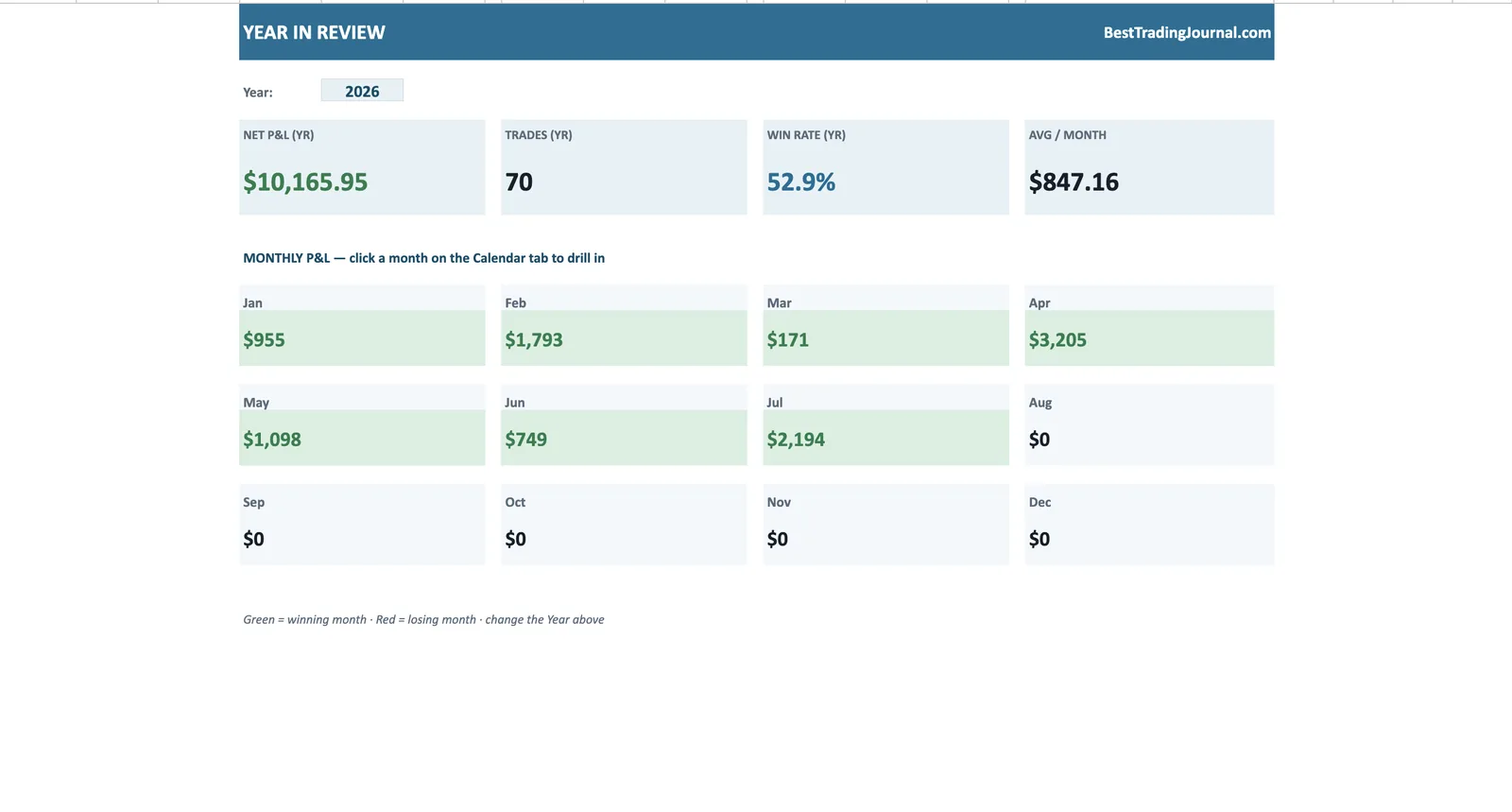
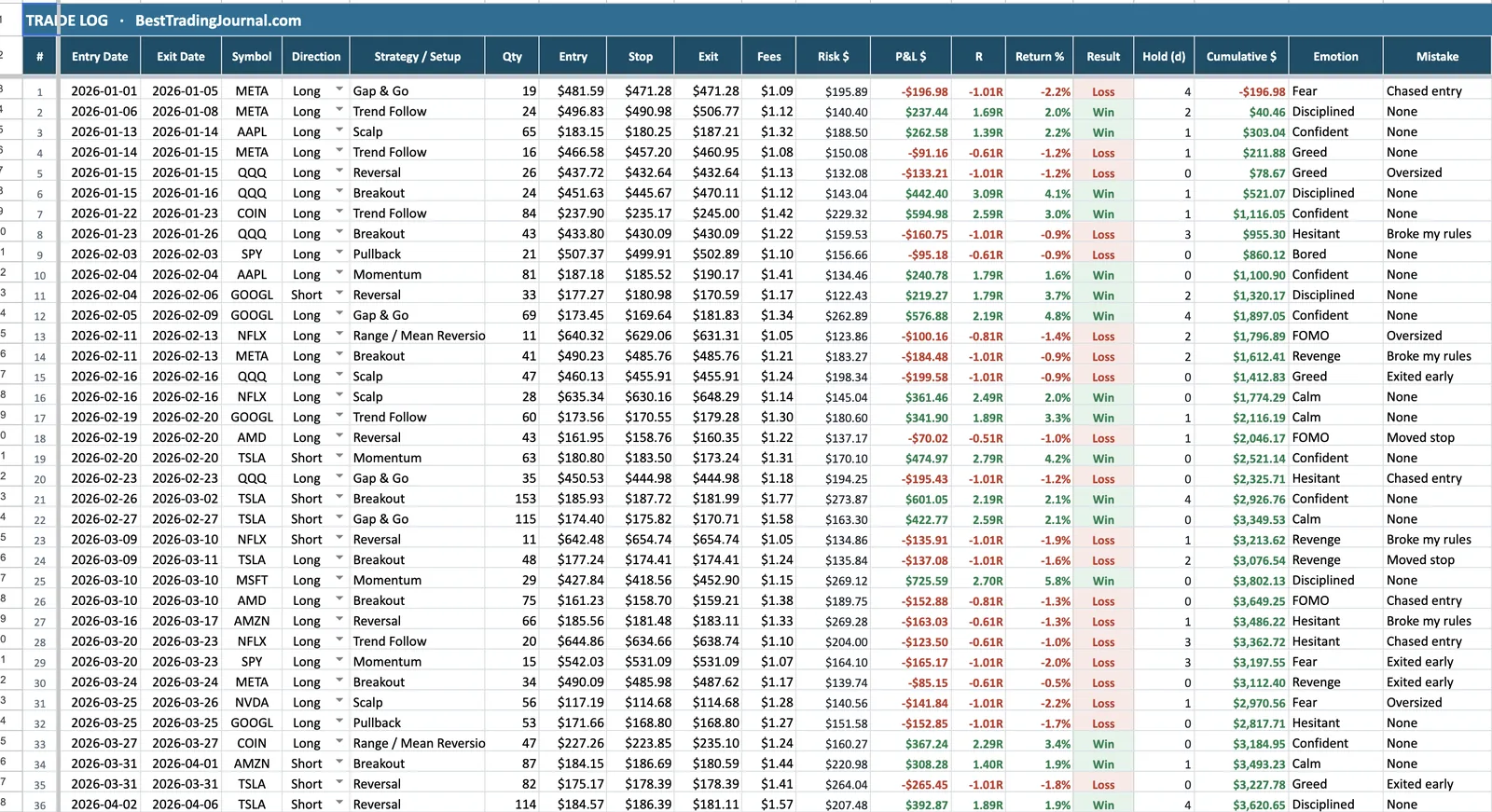
The same file, living in your browser - auto-saving, shareable and synced across devices through Google Sheets.
Get the Google Sheets trading journal
Enter your email — we'll send the template, and you can open it in Google Sheets in one click.
No spam. Just the template — free.
If you live in Google Sheets, your trading journal should too: nothing to install, automatic cloud backup, and access from your laptop or your phone at the desk or on the move.
This template drops straight into Google Sheets and calculates everything for you — the same professional analytics you'd expect from paid software, running in a tab you already have open.
Open it in Google Sheets in 30 seconds
We email you the file. Open it with Google Sheets (File → Open, or just drag it into Drive), and it's ready — formulas, charts and the P&L calendar all intact. No conversion headaches, because it's built on standard functions Sheets fully supports.
Journal from any device
Because it lives in your Google Drive, your journal syncs everywhere automatically. Log a trade on your phone right after you close it, and the dashboard on your laptop is already updated. No app, no export, no lost entries.
The analytics, done for you
Type each trade into the input columns and Sheets computes your risk, P&L, R-multiple and running balance, then rolls them up into win rate, profit factor, expectancy and average R — with a live equity curve and a monthly P&L heatmap you can read at a glance.
Outgrown the spreadsheet? Try TradeOlogy
Sheets adds conveniences the desktop spreadsheet never had - but broker sync still is not one of them. TradeOlogy automates the import step entirely, free tier first.
Keep reading
Google Sheets Trading Journal — FAQ
Does the template really work in Google Sheets?
Yes — it's built on standard formulas that Google Sheets fully supports, so charts, conditional formatting and the P&L calendar all work after you open it in Sheets.
How do I open the file in Google Sheets?
Upload the file we email you to Google Drive (or drag it in), then open it with Google Sheets. Sheets converts it automatically and everything keeps working.
Can I journal on my phone?
Yes. With the Google Sheets mobile app your journal is available anywhere, and every entry syncs to the same file your dashboard reads from.
Is it free?
Completely. Enter your email and we send it over at no cost.