Trading journal Excel template
A free, formula-driven trading journal built for Microsoft Excel. No macros to enable, no setup — open it, log your trades, and watch your stats calculate themselves.
Free download · Updated October 2026
See what's inside
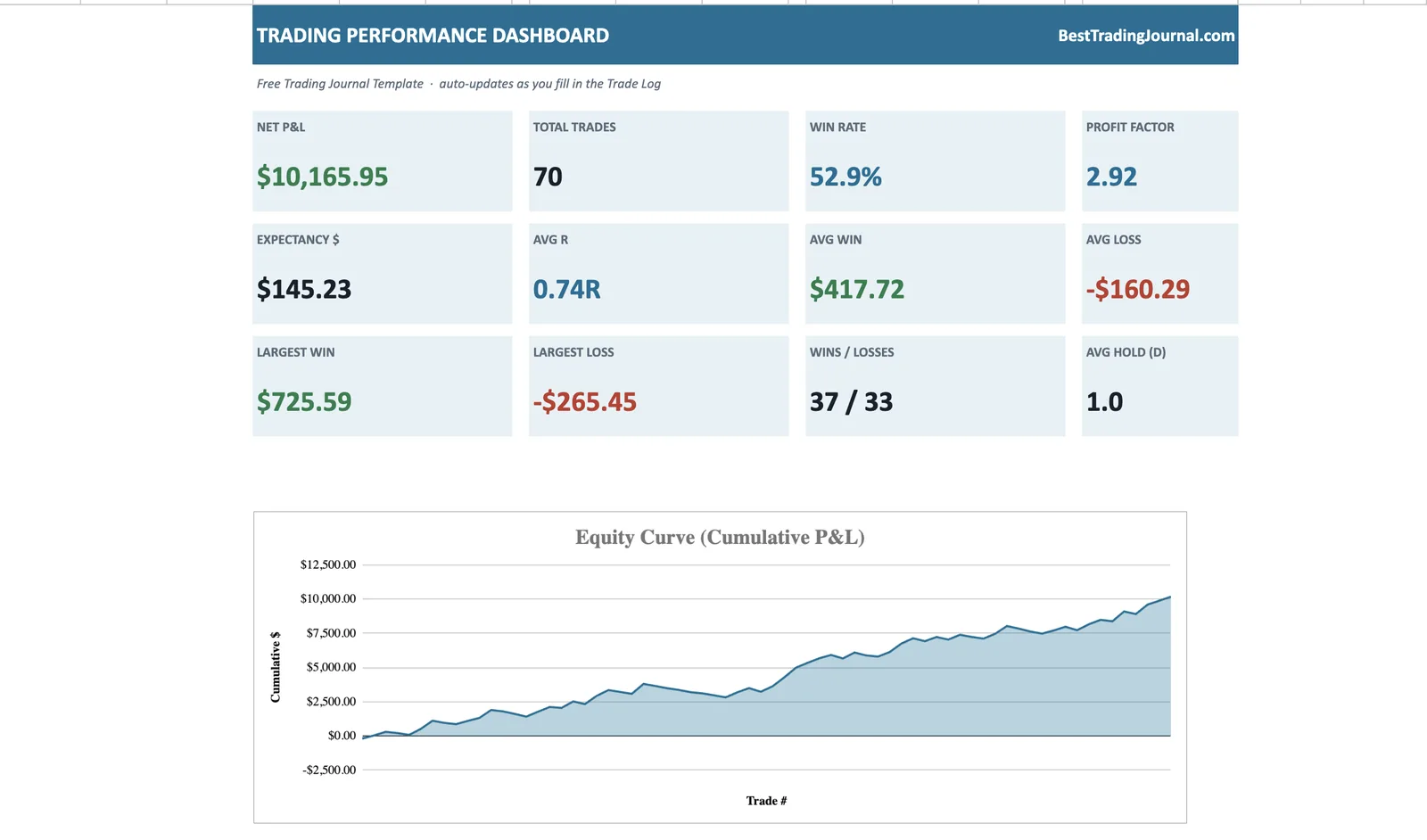
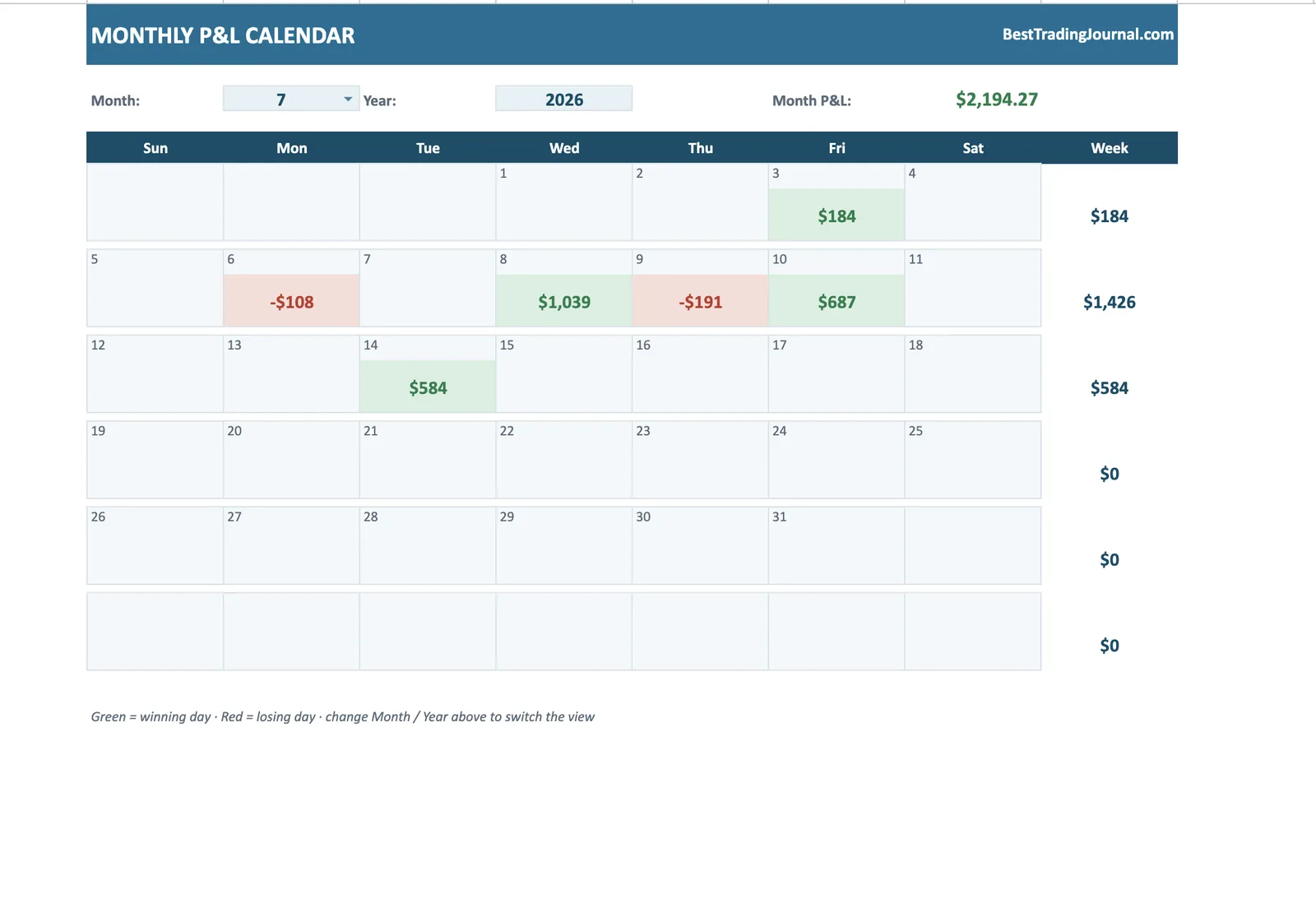
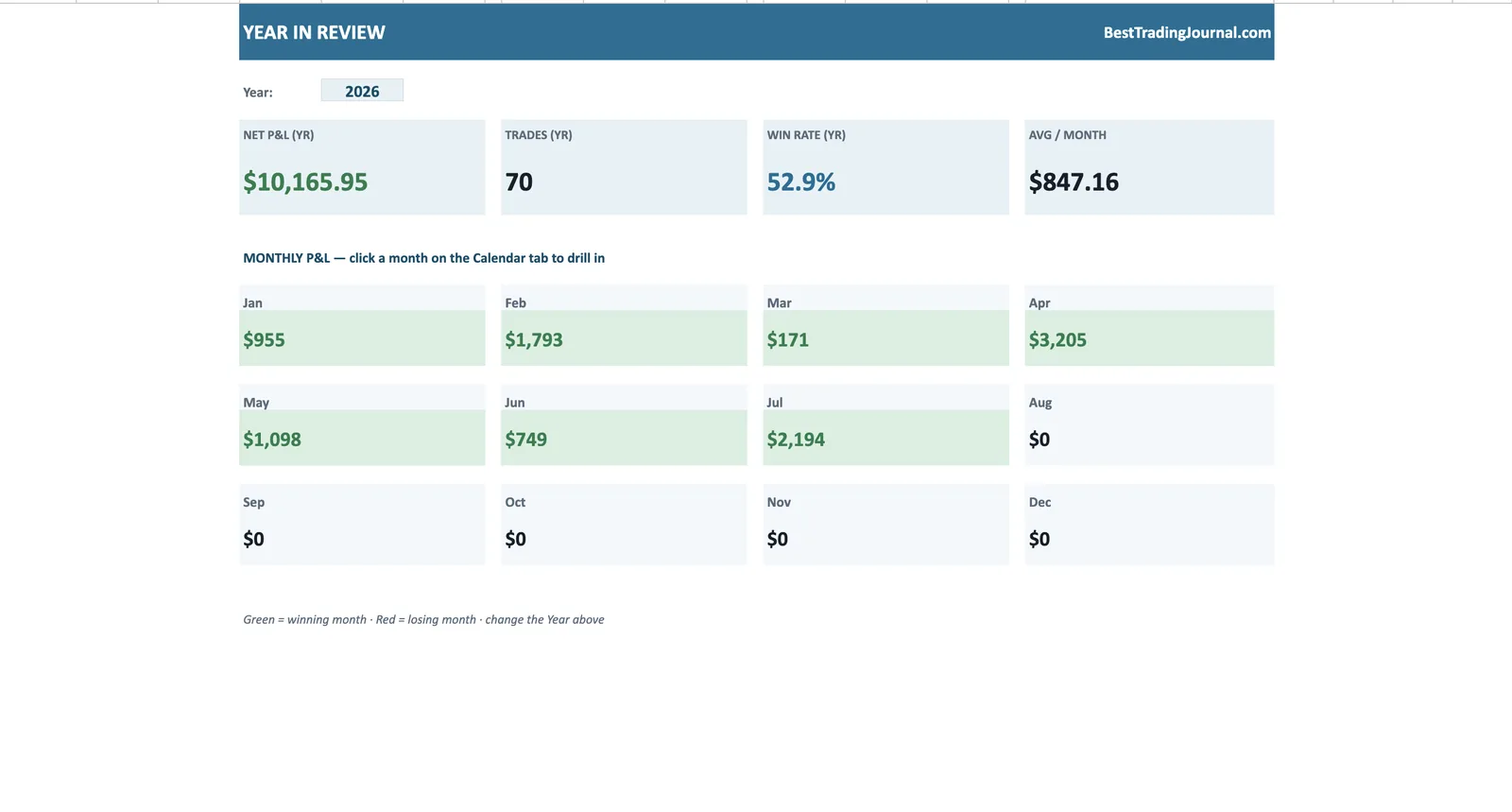
The workbook in action - performance dashboard, monthly calendar and year heatmap, driven entirely by native Excel formulas.
Download the Excel trading journal template
Pop in your email and we'll send the .xlsx straight over — free, macro-free, ready to use.
No spam. Just the template — free.
Excel is still the fastest place to journal trades if you have the right file — powerful formulas, offline access, and total control over your data. The problem is building that file yourself: getting direction-aware P&L, R-multiples and a rolling equity curve right takes hours of formula-wrangling most traders never finish.
This template is that file, already built. It's a clean .xlsx — no macros to enable, nothing to trust — with the maths and charts done for you.
Built for Excel, no macros required
Some "Excel journals" rely on macros (VBA), which trigger security warnings, break in Excel Online, and make people rightly nervous about running unknown code. This one uses nothing but native spreadsheet formulas, so it's safe to open anywhere and works in desktop Excel, Excel Online and Google Sheets alike.
The formulas do the work
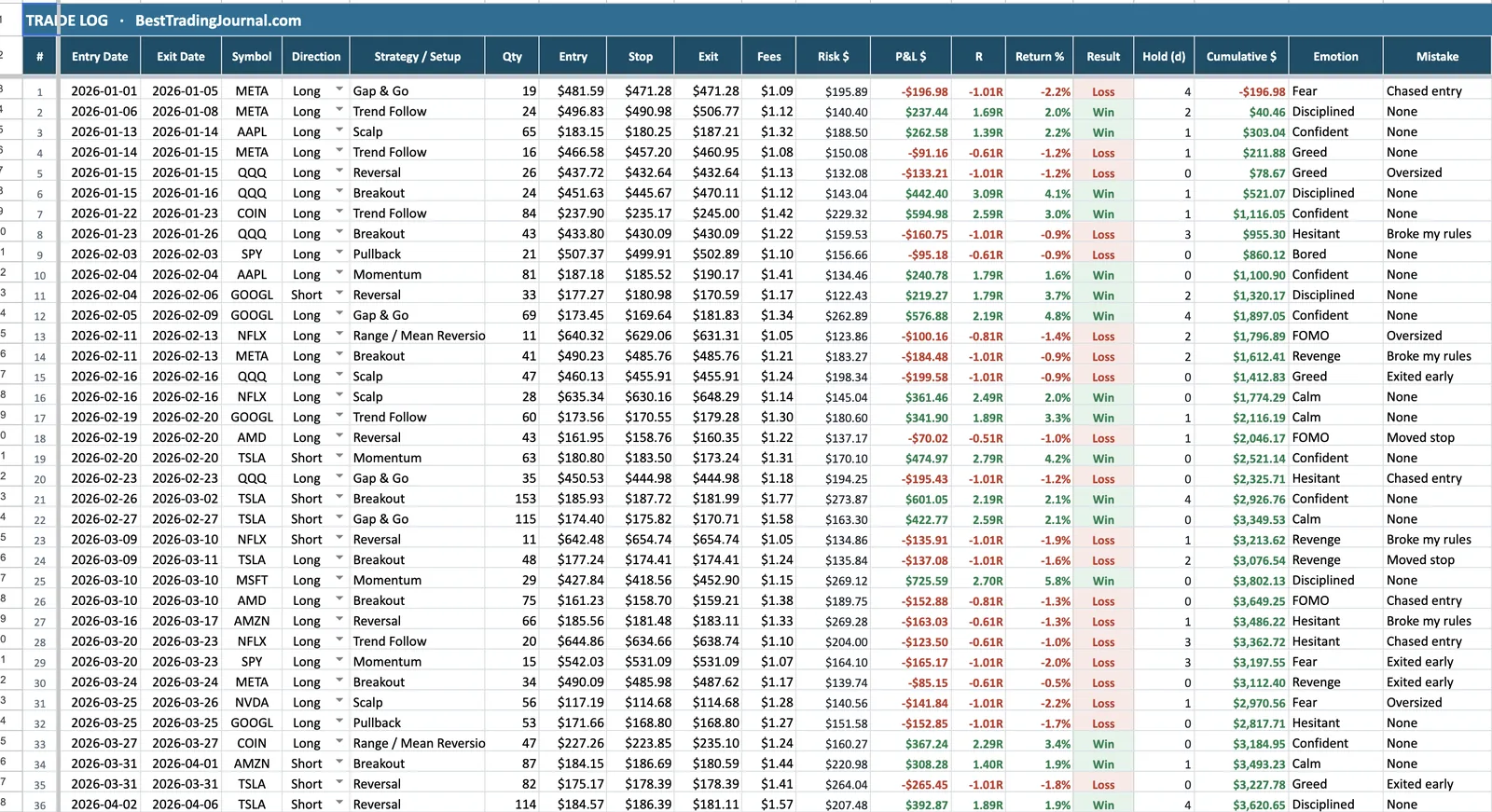
You fill the input cells; Excel does the rest. Behind the scenes it computes your risk per trade, direction-aware P&L (longs and shorts handled correctly), R-multiple, percentage return, result and a running cumulative balance — then a separate Dashboard sheet aggregates it into win rate, profit factor, expectancy and average R.
Conditional formatting colours wins green and losses red automatically, so scanning your log for problem trades takes seconds.
Excel template vs building your own
You could build this yourself — but pinning down the edge cases (short trades, breakeven results, fees, blank rows that shouldn't break the charts) is where DIY journals fall apart. This template has already handled them, and ships with 40 sample trades so you can confirm every number before you trust it with your own.
Outgrown the spreadsheet? Try TradeOlogy
Excel takes you surprisingly far - but it will never sync your broker. TradeOlogy picks up where the workbook stops, and its free tier means you can run both until one wins.
Keep reading
Trading Journal Excel Template — FAQ
Do I need to enable macros?
No. The template is 100% formula-based — there are no macros, so there's nothing to enable and no security warning to click through.
Which versions of Excel does it work in?
Any modern version — Excel 2016 and later, Microsoft 365, and Excel Online. It also opens cleanly in Google Sheets if you prefer.
Can I add my own columns?
Yes. Add columns for anything you track — commissions, tags, screenshots links — without disturbing the built-in formulas.
How much does it cost?
Nothing. Enter your email and the .xlsx is sent to you free.